



Steam continues to be a major force in PC gaming—it recently achieved a new record with 36.4 million simultaneous players all gaming at the same time. And it’s not hard to see why it’s so popular, with an unmatched selection of titles, an easy-to-use interface, and plenty of additional features focused on user communities and content sharing.
If you’re only using the Steam client to purchase and launch your games, you’re missing out on many other features it offers—from sharing games to managing the strain on your network. We’ve gathered six essential Steam tips, which should be beneficial for users at all levels of experience.
1. Organize your games into collections
By default, Steam will simply list your games in a long list, ordered alphabetically—but as you start to accumulate more titles in your library, that can quickly become difficult to manage. The built-in collections feature is one way to bring a bit of organization to the chaos.
All you need to get started is right-click on one of your games in the list on the left, then choose Add to: You can pick a collection you’ve already set up, or create a new one. You can then select these collections from the main Library page.
2. Share games with your family
In the old days, you could simply hand someone a disc or cartridge to share a game with them. These days, we’ve got Steam Family Sharing. It means up to five other people in your household can access the game library you’ve carefully curated.
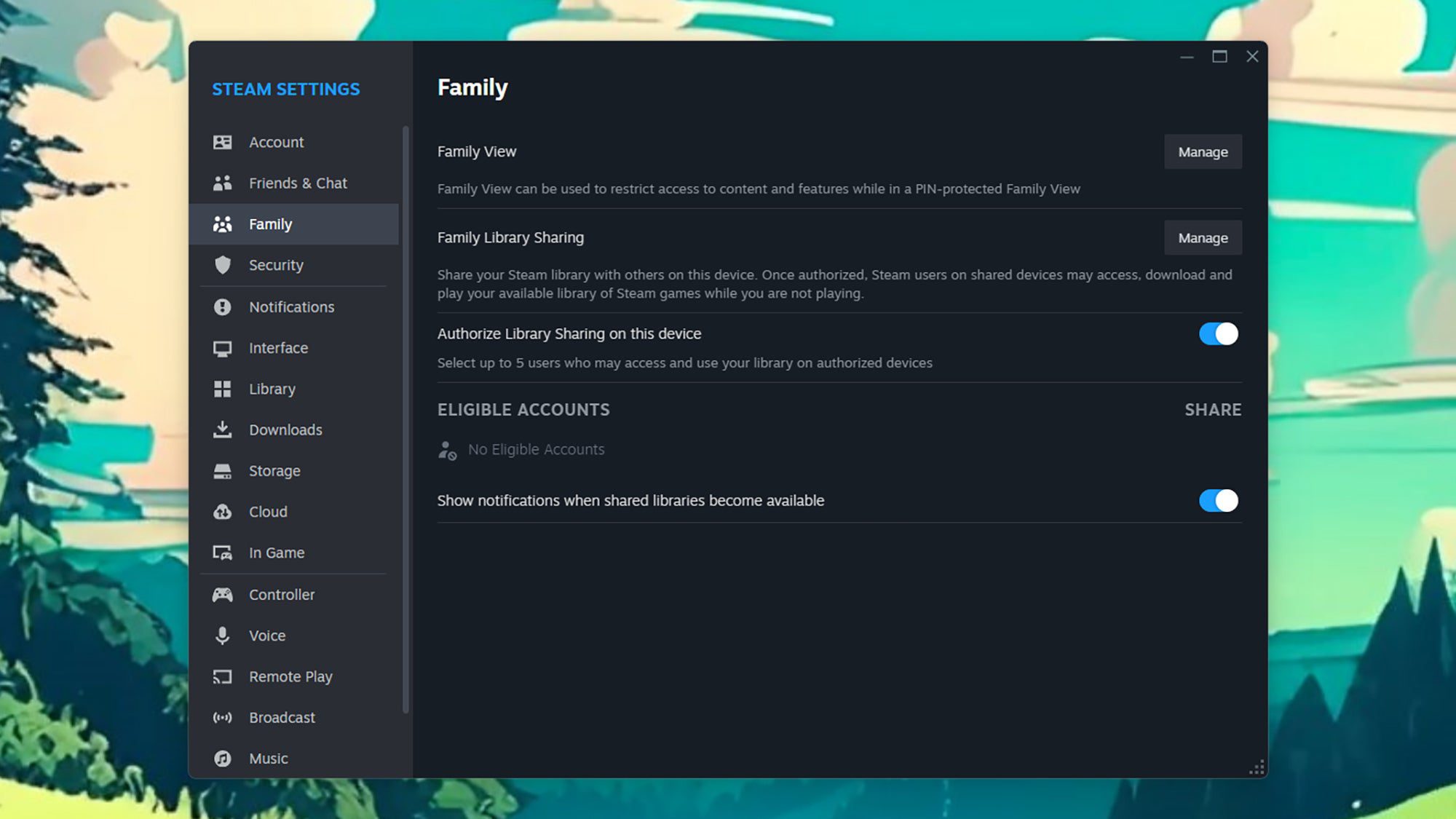
From the Steam client, open the Steam menu, then choose Settings and go to the Family tab. From here you need to enable Authorize Library Sharing on this device, then use the Manage option next to Family Library Sharing to decide who gets access to your games.
When new users are added, they’ll get an email with an invite link that they need to click on. From there, they have access to your entire library, but you can revoke this access at any time by heading to the Family page in Steam Settings.
3. Select controller configurations on Steam
Most Steam games work with gaming controllers out of the box, with no extra configuration required—but what if you’re playing a more obscure title? Or you want to change the default setup on your controller in terms of which button presses lead to which actions on screen?
That’s where controller customizations come in. If you open the Steam menu and then Settings in the desktop client, you can head to the Controller page and change the way your connected controller works—right down to the buttons and joysticks if needed.
Click Open next to Calibration & Advanced Settings, and you get a limited number of customizations specific to your controller (like vibration settings and joystick sensitivity). More comprehensive options can be found by clicking Edit next to Desktop Layout—you can even install configurations created by other Steam users.
4. Manage your network
Some of the biggest titles on Steam can take up gigabytes and gigabytes of space, and that means quite a lot of strain on your home network when you’re installing something new. If you’re trying to stream a 4K movie on Netflix at the same time, you might find yourself running into problems.
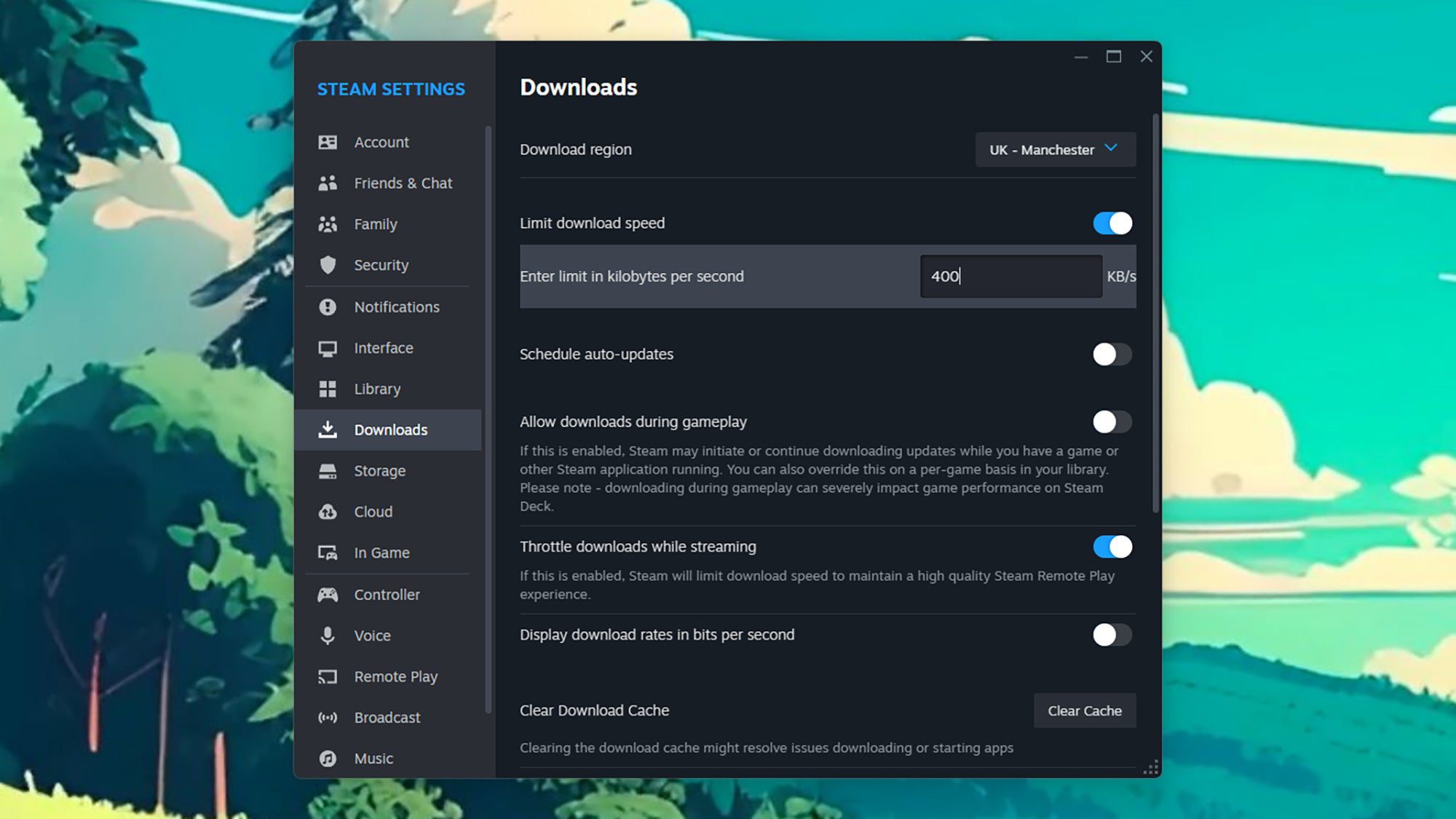
You can solve this by opening up Steam > Settings > Downloads from the desktop client. Enable the Limit download speed option, then enter a figure in kilobytes per second (considering your overall broadband speed).
You’ll be waiting a little longer for your games to download, but your network won’t be severely impacted for hours during a download.
5. Move your Steam games
Moving your Steam games can be very helpful if you’re running out of space on your main hard drive—as mentioned earlier, some Steam games are quite large. You can relocate part or all of your games library to another internal or external hard drive on your system.
Open Settings from the Steam menu in the desktop client, then go to the Storage tab. From the drop-down menu at the top, you can view existing library locations and create new ones—then, with a library selected, you’ll see a list of installed games. Choose one or move games, then click Move to transfer them to another drive.
When you’ve selected a library, there’s also a button with three dots on it to the right of the library location—click on this to set the current library as the default one, where new games will always be installed if you don’t specify a different location.
6. Purchase Steam games for less
Our final tip is to visit the very useful third-party SteamDB site, where you’ll find a wealth of information on the Steam platform and the games available through it: From information about which games are currently the most popular, to those that have most recently received updates.
Most importantly for our purposes here, it can inform you about when the next big Steam sale is, and notify you when individual games go on sale (and how that compares to their previous price over time). By being patient and checking SteamDB regularly, you may never have to pay full price for your games.