




This story has been updated. It was originally published on March 11, 2020.
Most of the time, we log into our apps and digital accounts on autopilot—it’s easy when our devices remember our information and we never sign out. That’s why losing access to one or more of the services you rely on every day can be a major headache.
Perhaps you’re setting up a new device and can’t remember your password because it’s been so long since you actually had to log in somewhere new. Or maybe you’ve been the victim of a hack or data breach, and someone else has changed your password and locked you out of your accounts.
Hopefully you’re never in situations like those, but if you are, fixing the problem will be much easier if you prepare now. Each of your accounts has some kind of recovery process, so it’s important to find out what those steps are and confirm that the information they’re using is up to date.
We’ve covered some of the most well-known apps and accounts here, but we recommend doing the same checks on all your important accounts. If you’re using any we haven’t listed, you should be able to find similar recovery options by digging around in the settings or having a look online.
From a security standpoint, remember that someone trying to gain access to your accounts can also use the same recovery options. So if you have backup phone numbers and email addresses on file, you should make sure those accounts are also well-protected against unauthorized access.
Get back into your Google account
If you log into your Google account on the web, you can get at everything related to account access by clicking the Security link on the left. You should be particularly interested in the Ways we can verify it’s you box—these are the methods Google will use to make sure you are who you say you are if you get locked out of your account.
The options should include a recovery cellphone number, a recovery email address, and a security question—click on any of the entries to make changes and to check that everything is up to date. If you need to regain access to your account, Google will send a special link to your phone or alternative email address, so that contact information needs to be current.
Access your Apple account again
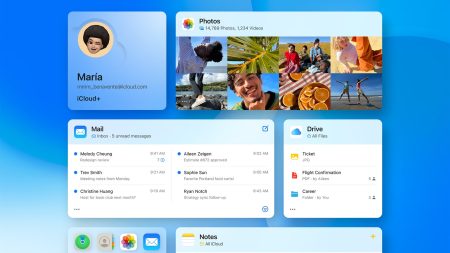
Open your Apple ID page on the web, and you’ll see six categories of data under your name and photo on the left-hand side of the screen. Each one leads to a page of subcategories. For example, click Sign-In and Security to find the information Apple associates with your account (like the devices you’ve entrusted with handling two-factor authentication), or Devices to see the gadgets you’re currently signed into. (If you’ve been logged out of your Apple account on one device, you might still be able to access it from another one.) To edit any of this information, click the blue icon that’s next to pretty much every subcategory.
It’s a great day to secure your Apple and iCloud accounts]
As far as future account recovery is concerned, two bits of information are important here: the Account Security and Account Recovery sections under Sign-In and Security. Make sure both of these are stocked with correct, up-to-date details, as these will help Apple reset your password if you can’t remember it.
Break back into your Microsoft account
Head to your Microsoft account page on the web, and you’ll have access to everything related to it, such as your ongoing subscriptions, the devices you’re logged in on, and how much data Microsoft is collecting on you. To configure your account recovery options, click Security, then Advanced security options.
It’s the usual drill here: You can provide both a cellphone number and an email address and Microsoft will use them to contact you and verify your identity if you ever get locked out of your account. There are also options to add other two-factor authentication methods like security keys and authenticator apps, and you can even set up passwordless access to your account. Click on each one to edit it, or on Add a new way to sign in or verify to do just that.
Unlock your Netflix account
Protecting access to your Netflix account might not be as vital as keeping your Google, Apple, and Microsoft accounts locked down, but it’s still definitely worth securing. If you log into Netflix on the web, you can find various security options by hovering the mouse over your avatar (top right) and choosing Account.
The first and third choices at the very top are the ones you’ll need to ensure are accurate: the account email and account phone number. If Netflix needs to send you a password reset link, it’ll use these details to do it. You can also reset a Netflix password if you know your billing details—follow the instructions here.
Get your Instagram back
Instagram will use the email address and phone number you have on file to reset your password, if necessary. You can find this information by logging into your Instagram account on the web and clicking Edit profile on the left. You can have one email address and one cellphone number, so make sure they’re in use and well-protected.
The best hidden Instagram tricks]
As you can see from Instagram’s password reset page, you can enter your username, registered phone number, or email address to receive a reset link that will let you back into a locked account.
Unlock your Facebook account
Facebook lets you get back into your account in numerous ways. Go to your Facebook account on the web, then click the downward arrow in the top right, followed by Settings & privacy, and Settings. You should enter the General tab, and you can scan the details there to make sure the information under Contact is correct. Click Edit to get the full picture. You can add several email addresses and phone numbers here, which Facebook will use to get in touch with you if you’re ever logged out.
Another handy feature is listed under Security and Login: find the Setting Up Extra Security heading and click Edit next to Choose 3 to 5 friends to contact if you get locked out, and you can give Facebook the names of three, four, or five people you’re connected to on the social network. If you are locked out, Facebook can contact these people to make sure you’ve really been hacked or have truly forgotten your password (you’ll need to let your friends know, of course).